How It Works
Six simple steps to a lasting habit.
athar is designed to feel natural from the very first tap.

Step 1
Download athar
athar is coming soon to the App Store for iPhone.
Coming soon to the App Store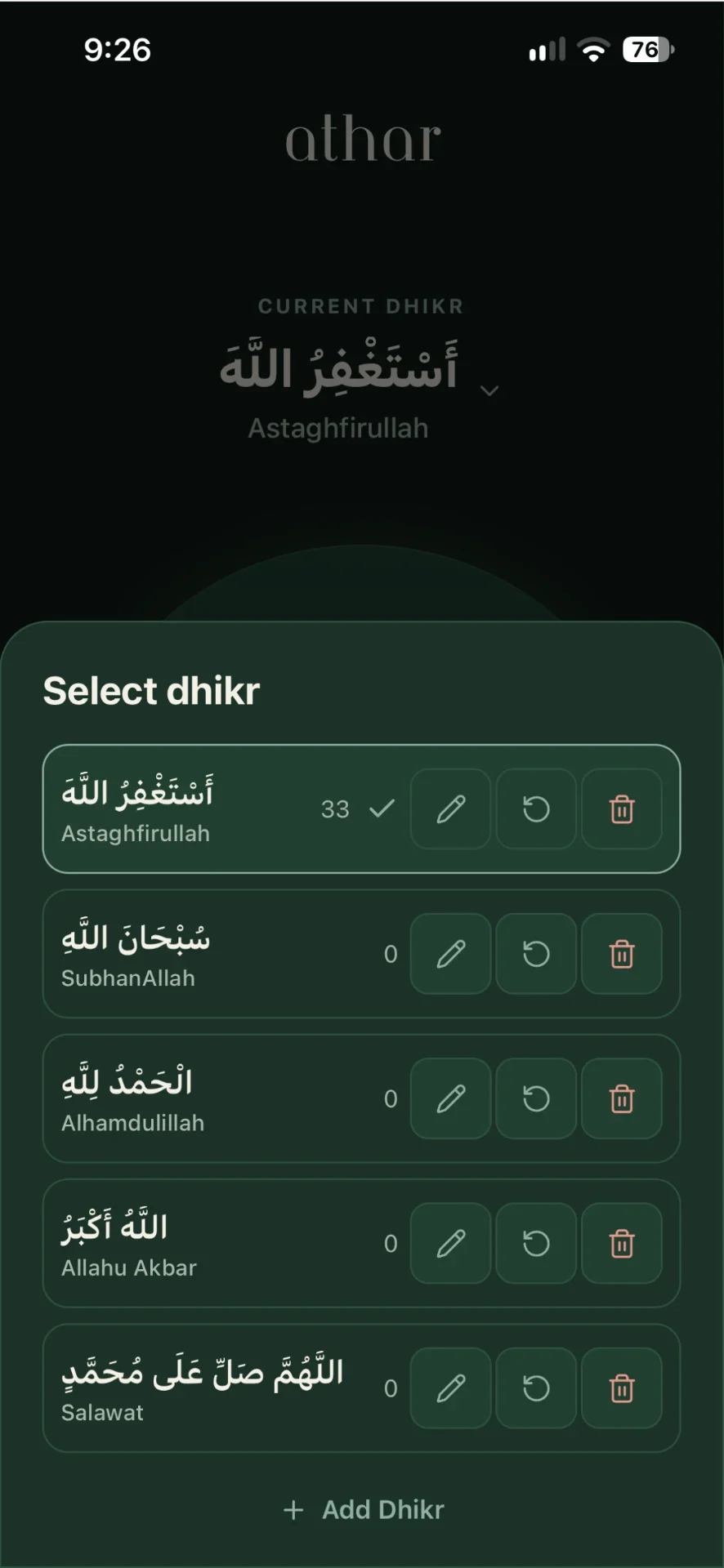
Step 2
Select your dhikr
Tap the current dhikr at the top of the counter to open your list and choose a remembrance.
Step 3
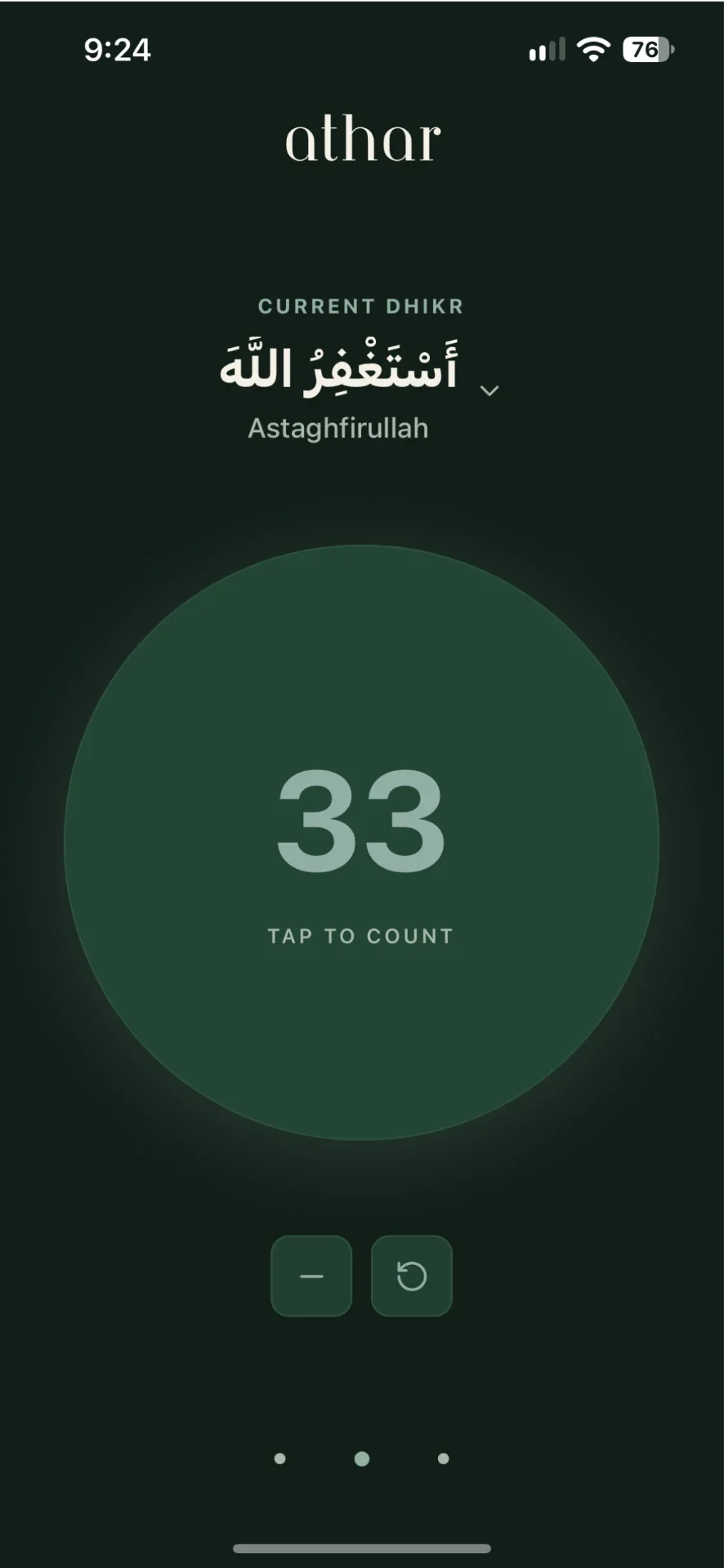
Tap to count
Tap the large circle to count each remembrance. Your count is saved as you go.
Step 4
Correct or reset
Use the minus button to undo an accidental tap, or reset when you want to begin again.
Step 5
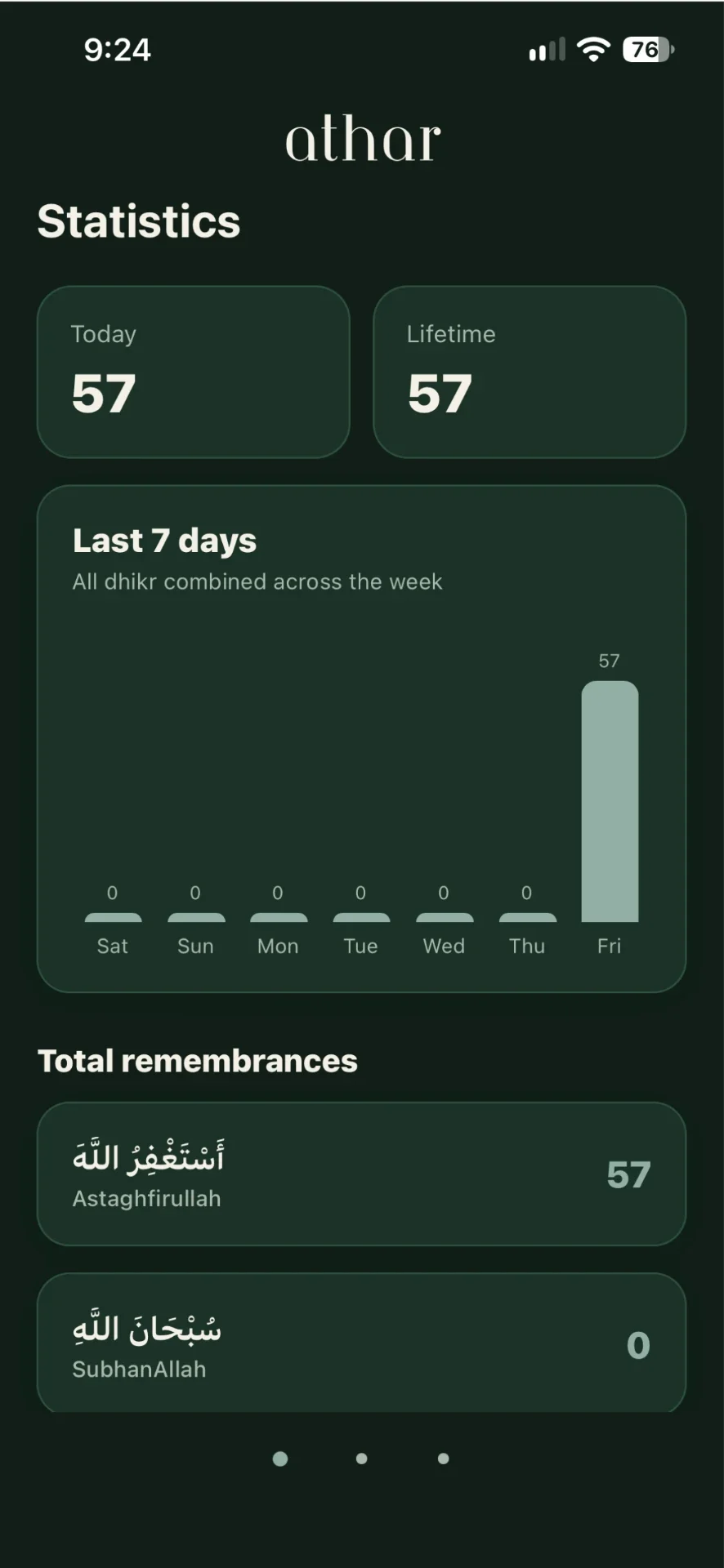
View your progress
Swipe to Statistics to see today's total, your lifetime count and the last seven days.
Step 6
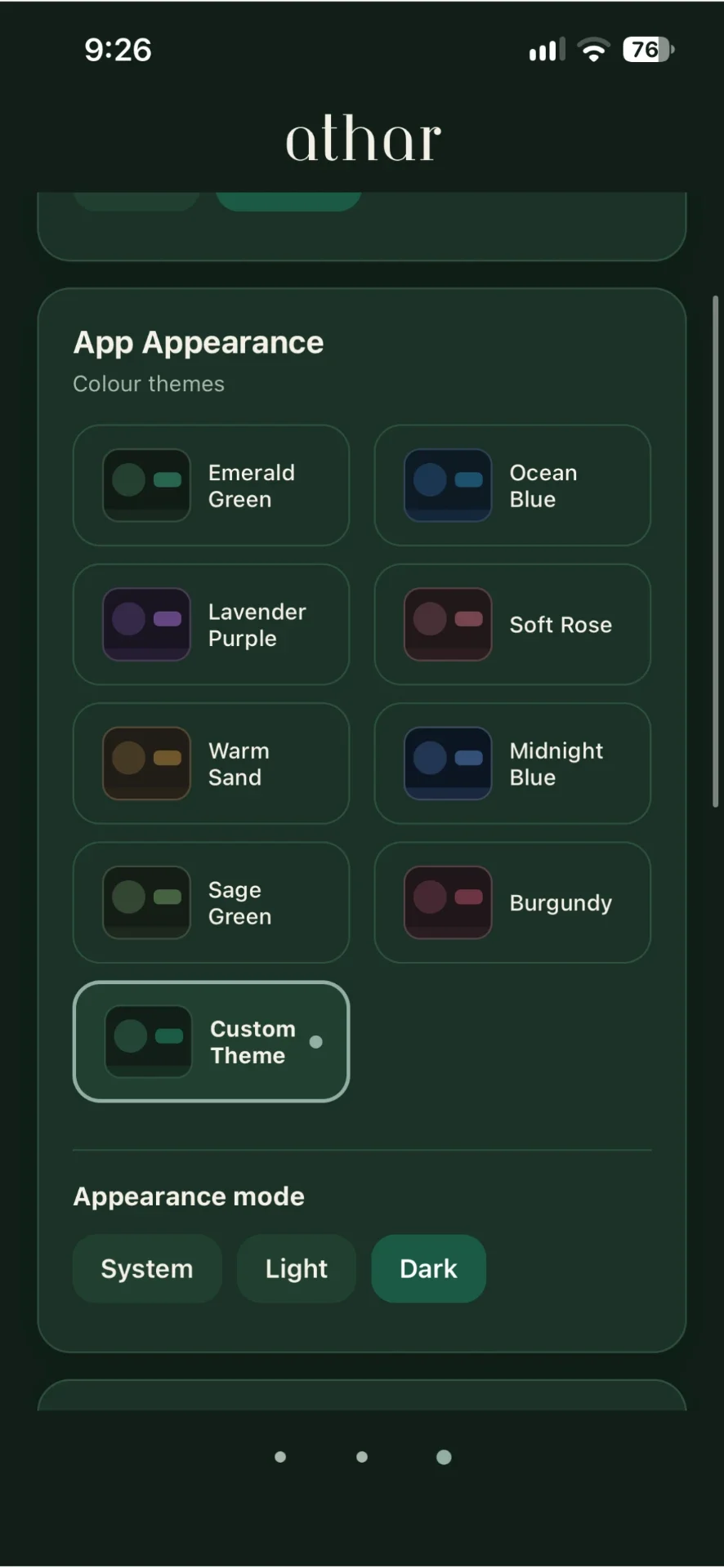
Make it yours
In Settings, personalise colours, language, daily goals and reminders.
Still have questions?
Read the FAQComing soon to the App Store